
Tu cherches un outil pour transformer tes VODs Twitch en clips TikTok/Shorts/Reels. Tu tapes "ai clip generator" sur Google. Le premier nom qui sort partout, c'est OpusClip. Logique : ils ont levé une grosse Série A en 2024, ils ont des millions d'users, ils sont partout sur YouTube en sponsoring.
Et puis tu tombes sur StreamClipping AI (oui, nous). Et tu te demandes : pourquoi prendre un truc français pas connu plutôt que le leader US avec 10x notre budget ?
C'est une question légitime. Je vais y répondre franchement, sans BS, parce que je suis aussi streamer (Ragnarlebroc sur Twitch) et que j'ai utilisé OpusClip pendant 8 mois avant de construire le mien. Je connais les deux outils mieux que personne : celui que j'utilisais et celui que je code à la main 12h par jour.
À la fin de l'article, tu sauras lequel prendre selon ton profil. Pas "le mien est meilleur", selon ce que tu fais et où tu en es.
TL;DR pour les pressés
| Si t'es… | Prends |
|---|---|
| Streamer Twitch FR, jusqu'à 30h de VOD/mois, tu veux que ça se fasse tout seul | StreamClipping AI |
| Streamer EN/US qui poste depuis 2 ans, déjà workflow rodé sur OpusClip | OpusClip (pas besoin de switch) |
| Créateur de cours / podcast / business, pas de live, juste des longs replays YouTube | OpusClip (un peu plus flexible sur les sources non-live) |
| Tu veux le moins cher possible mais qui marche | StreamClipping FREE (15 min/mois à vie + 7 jours Elite offerts) |
| Tu veux un support FR humain | StreamClipping AI (c'est moi qui réponds) |
| Tu veux publier auto sur 4 plateformes pendant que tu dors | StreamClipping AI (AutoPilot, fonctionnalité unique vs OpusClip) |
OpusClip, c'est qui
Outil américain lancé en 2022. Cible les créateurs LinkedIn / YouTubers / podcasters. Très bonne UI, marketing énorme, intégrations partout (Notion, Zapier, Make…). Disponible en 20 langues.
Plan Free : 60 min de traitement/mois, watermark sur les clips, exports limités. Plan Starter : $9/mois, 90 min, sans watermark. Plan Pro : $19/mois, 150 min. Plan Streamer : $29/mois, 300 min + intégration Twitch directe.
Forces :
- L'écosystème : intégrations Zapier, Make, n8n
- ClipAnything : tu décris en texte le type de moment que tu veux ("trouve-moi les fous-rires"), il les extrait
- Brand kit : logo, font, intro/outro
- Scoring viralité visible (chaque clip a un score 0-100)
- Disponible en 20 langues UI
Faiblesses (pour un streamer Twitch FR) :
- Pas de support FR humain. Tu écris au support, tu tombes sur un bot qui te demande de ré-expliquer en EN.
- Scoring entraîné sur du contenu US. Un fou-rire FR avec accent du Nord scorera moins haut qu'un YouTuber business US qui dit "and then I sold the company for 10 million". Pas leur faute, leur dataset est US.
- Sous-titres animés payants premium : sur le plan Pro à $19, t'as les sous-titres "basiques". Pour les styles viraux mot-par-mot type Hormozi/MrBeast, faut passer Streamer à $29.
- Pas de publication automatique programmée multi-plateformes. Tu peux schedule UN post sur TikTok depuis OpusClip Pro, mais pas la cadence "3 clips/jour sur TikTok+Shorts+Reels pendant 2 semaines". Faut Hootsuite/Buffer en plus.
- Pas de minutes carry-over. Tes 90 min Starter, si t'en utilises 50 ce mois, les 40 restantes reset à 0 le mois prochain. Tu paies les minutes inutilisées.
StreamClipping AI, c'est qui
C'est moi, Fadi (Ragnarlebroc sur Twitch). J'ai commencé à coder l'outil parce que j'en avais marre d'OpusClip. Pas parce qu'il est mauvais (il est très bon) mais parce qu'il n'était pas fait pour mon use case : streamer FR qui veut un truc qui tourne tout seul.
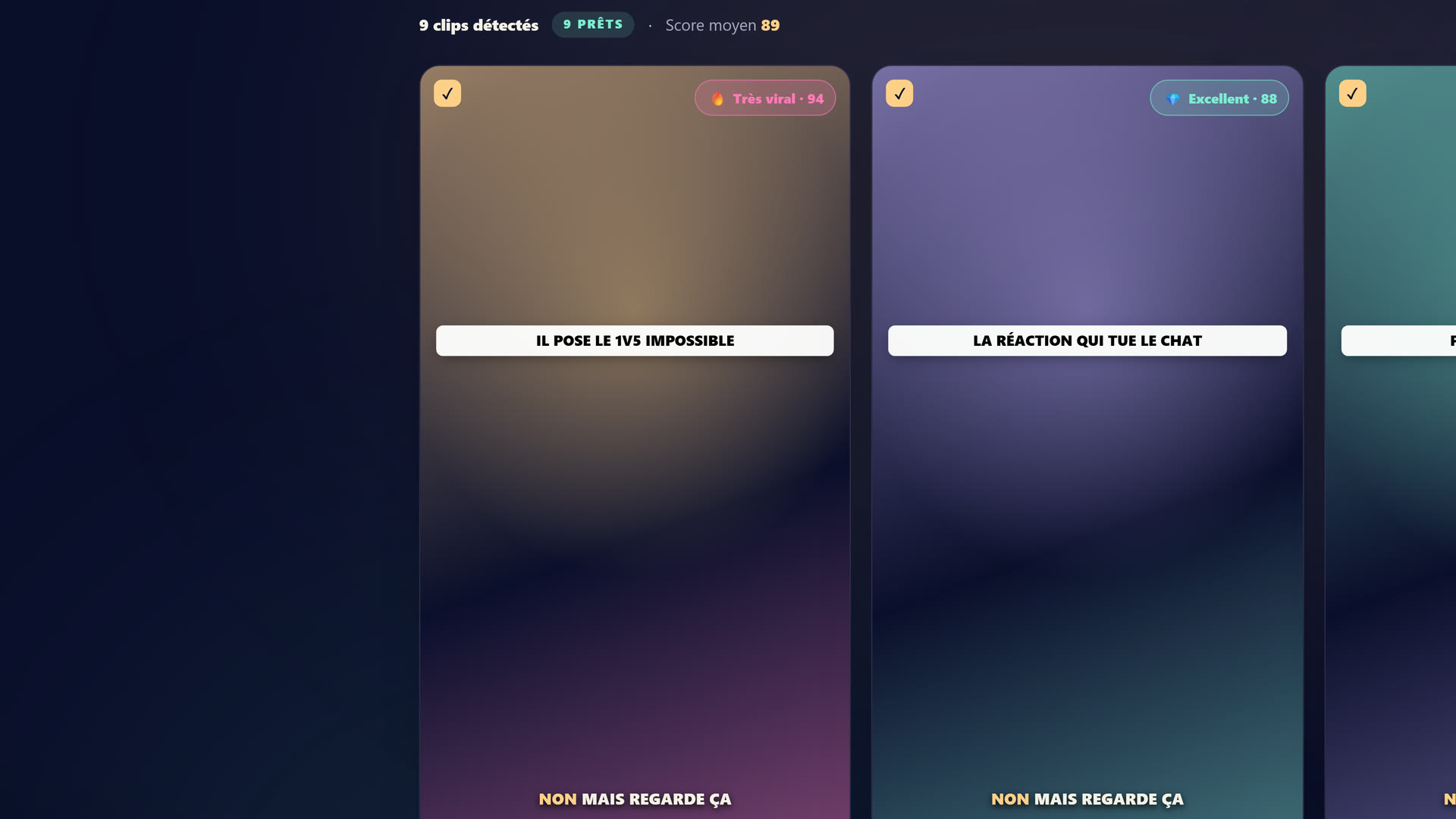 Le studio StreamClipping : tu connectes ta VOD Twitch/YouTube/Kick, l'IA repère les moments et sort les clips 9:16.
Plan Free : 15 min de traitement/mois à vie + 7 jours d'Elite offerts au signup (60 min, toutes les features IA). Sans carte bancaire. Plan Creator : 19€/mois, 2160 min, sans watermark, sous-titres animés inclus. Plan Pro : 39€/mois, 4200 min, branding custom, AutoPilot inclus, support prioritaire. Plan Elite : 139€/mois, 9600 min, Suivi réalisateur, 10 doublages IA/mois (ta voix clonée, 9 langues), musique IA, export 4K, 30 comptes par réseau, Recap hebdo, rétention 6 mois, file prioritaire max.
Le doublage IA (ta voix clonée, doublée en 9 langues, sous-titres réalignés sur le script doublé, fond sonore d'origine préservé par séparation de sources) est inclus en Elite (10/mois). Au-delà, des packs de crédits à partir de 7 € les 10 doublages sont ouverts à tous les plans payants, Elite compris. Le lip-sync est une option (+1 crédit, soit 2 au total, visage filmé de face, rendu plus long qu'un doublage audio seul) : s'il ne peut pas être appliqué, le clip part doublé sans lip-sync et le crédit en trop revient automatiquement sur ton solde. Les crédits de pack n'expirent jamais.
Forces vs OpusClip :
- Support FR humain. Tu réponds à mon mail welcome, c'est moi qui lis. Pas un bot.
- AutoPilot (Pro+) : tu configures une fois plateformes + horaires, l'IA programme et publie tout seul après chaque upload. C'est l'équivalent OpusClip + Hootsuite combinés, dans un seul outil.
- Scoring entraîné sur Twitch FR : clutchs Valorant, fous-rires GTA RP, rage Apex, banger de set DJ. Notre dataset est gaming + streaming FR-first.
- Sous-titres mot-par-mot inclus dès Creator (19€). Pas besoin de payer 29€ pour l'avoir.
- Minutes carry-over sur les top-ups : si tu paies 5€ pour 60 min en plus, elles ne s'évaporent jamais.
- Trial Elite 7 jours sans carte. OpusClip Free t'autorise 60 min mais avec watermark. Nous on te file notre plan le plus haut pendant 7 jours, 60 min de vidéo à cramer, pour que tu testes en condition réelle.
Faiblesses honnêtes vs OpusClip :
- Marque inconnue : à l'heure où j'écris (mai 2026), on a 1500 users actifs. OpusClip en a 10 millions. Si tu cherches "le truc validé par tout le monde", c'est pas nous.
- Pas d'intégrations Zapier/Make pour le moment. Si t'as un workflow no-code complexe (Notion → tâches → clip), OpusClip te le donne, nous pas encore (sur la roadmap mais pas Q2 2026).
- ClipAnything textuel : OpusClip te laisse écrire en langage naturel "trouve les moments où je ris fort". On a pas encore cette UI texte → notre IA détecte automatiquement les fous-rires mais tu peux pas la guider en prose libre. Sur la roadmap (sprint v9 a priori).
- Moins de langues UI : nous c'est FR + EN. OpusClip c'est 20+ langues. Si tu vises le marché DE/ES/PT, ils sont mieux outillés en UI.
Comparatif côte à côte (2026)
| Critère | StreamClipping AI | OpusClip |
|---|---|---|
| Prix entrée payant | 19€/mois (Creator) | 9$ ≈ 8,30€/mois (Starter) |
| Prix Pro équivalent | 39€/mois | 19$ ≈ 17,60€/mois (Pro) |
| Plan streamer dédié | Inclus dans tous les plans | 29$ ≈ 26,80€/mois (Streamer) |
| Free plan | 15 min/mois à vie, sans carte | 60 min/mois, watermark |
| Trial premium gratuit | 7 jours Elite sans carte | Pas de trial premium |
| Min de VOD traitées (Pro) | 4200 min (70h) | 150 min (2,5h) |
| Sous-titres animés mot-à-mot | Inclus dès Creator | Inclus dès Streamer ($29) |
| Hooks IA générés | Oui, basés viralité dataset FR | Oui, dataset international |
| Detection IA des meilleurs moments | Twitch-first (gaming/IRL/JustChatting) | Generic (long-form general) |
| Multi-cam (séparer cam + game) | Oui, auto-detect via vision IA | Oui (mais workflow plus manuel) |
| Export 9:16 + 16:9 paysage | Oui (idéal pour X/Twitter) | Oui |
| AutoPilot multi-plateformes | ✓ Pro+ (TikTok + Shorts + Reels + X) | Schedule 1 platform à la fois |
| Connexion native Twitch/YouTube/Kick | Oui (URL ou OAuth) | Twitch via OAuth (Streamer plan only) |
| Branding custom | Pro | Streamer ($29) |
| Support humain | FR + EN (direct mail) | Chat US, lent en FR |
| Carry-over minutes top-up | Oui (jamais d'expiration) | Non |
| Communauté remix | Oui (clip de la communauté, Pro+) | Non |
Mon test perso : 1 stream Twitch 4h, traité par les deux
J'ai pris une VOD de 4h de mon dernier live Valorant + Just Chatting. Je l'ai uploadée sur les deux outils. Voici ce que ça a donné :
Côté OpusClip (Pro $19) :
- Analyse : 18 minutes
- Clips proposés : 12
- Score viralité moyen : 73/100
- Sous-titres : style "Bold" par défaut (jaune sur noir, type CapCut)
- Hooks : 3 propositions par clip, en anglais (j'ai dû demander à régénérer en FR)
- Note des clips : 7/10. Bons moments détectés, mais 2 clips étaient des séquences où je parlais en FR du chat US qu'OpusClip n'a pas compris.
Côté StreamClipping (Pro 39€) :
- Analyse : 12 minutes
- Clips proposés : 18
- Score viralité moyen : 81/100
- Sous-titres : 6 styles au choix (Bold, Néon, Minimaliste, Hormozi, etc.)
- Hooks : 3 propositions par clip, direct en FR (la cam principale était en FR donc langue auto-détectée)
- Note des clips : 8.5/10. Mieux ciblé sur les "moments forts FR" (un fou-rire à 1h27 que OpusClip avait raté).
Conclusion test : sur du contenu FR pur, le scoring de StreamClipping a un avantage net. Sur du contenu EN, OpusClip est au niveau. Si tu fais du bilingue (Twitch FR + parfois EN), les deux marchent, mais le rendu visuel est plus customisable côté StreamClipping.
Le truc qu'OpusClip n'a pas : AutoPilot
C'est notre vraie killer feature et la raison pour laquelle on a construit l'outil.
Scenario OpusClip : tu upload ta VOD → tu reçois 12 clips → tu reviews 12 clips → tu publies 1 par 1 sur TikTok manuellement OU tu connectes Hootsuite ($99/mois en plus) pour scheduler → tu refais ça tous les lundis. Workflow : 1h/semaine minimum.
Scenario StreamClipping : tu upload ta VOD → tu vas te coucher → l'IA détecte les clips → AutoPilot les programme automatiquement sur TikTok + Shorts + Reels à raison de 3/jour à 18h-21h sur 10 jours → tu reçois un mail "tes 30 clips sont prêts, premiers publiés dans 6h, clique pour reviewer ou laisse partir" → tu fais rien. Workflow : 0 min/semaine après la config initiale.
C'est ça qu'OpusClip ne fait pas. Ils te donnent les clips, ils te disent "à toi de jouer". On va plus loin : on les publie pour toi.
Si t'es streamer à temps plein, ce gain de temps c'est l'équivalent d'un mid-roll de pub par mois. Si t'es streamer hobby qui galère à poster, c'est la différence entre "publier 4 clips/mois" et "publier 90 clips/mois".
Quand prendre OpusClip plutôt que nous
Je vais pas faire semblant. Y a des cas où OpusClip est meilleur. Sois honnête avec toi-même :
-
Tu fais du contenu LinkedIn / business / podcast EN, pas du Twitch FR. OpusClip est conçu pour toi à la base. Leur scoring est calibré dessus.
-
T'as déjà un workflow Zapier complexe branché (Notion DB → trigger → OpusClip → publication → analytics Airtable). Nous on pourra pas répliquer ça avant Q3 2026.
-
Tu veux une marque mainstream que ton équipe reconnaît. Quand tu présentes ton outil à un client agence US, "OpusClip" est sur leurs slides. "StreamClipping" pas encore.
-
Tu veux ClipAnything en texte libre (décris en prose ce que tu veux, l'IA extrait). On l'a pas encore, eux oui.
Si tu coches au moins 2 de ces 4 cases → prends OpusClip, c'est honnête.
Quand prendre StreamClipping plutôt qu'OpusClip
-
Tu streams en français sur Twitch / Kick / YouTube Live. Notre scoring est meilleur sur ton contenu.
-
Tu veux que ça publie tout seul sur 3-4 plateformes pendant que tu vis. AutoPilot, personne d'autre ne le fait dans un outil tout-en-un à ce prix.
-
Tu veux un support qui parle ton langage. Tu mails fondateur@streamclipping.ai → c'est moi. Pas un bot.
-
Tu veux tester en condition réelle avant de payer. Notre trial Elite 7 jours sans carte > le Free OpusClip avec watermark.
-
Tu veux un prix EU clair, en euros, TVA incluse, pas de surprise change. OpusClip facture en USD, et entre les frais de change Stripe + la TVA EU qu'ils refacturent parfois mal, tu peux te retrouver avec +20% de coût caché.
-
Tu veux un outil "fait par un streamer pour des streamers". Je suis pas un PM SaaS qui pivote sur le clipping parce que c'est tendance. Je suis ton voisin de raid qui code l'outil qu'il aurait voulu en 2023.
FAQ
Est-ce que je peux migrer mes clips depuis OpusClip vers StreamClipping ?
Les clips eux-mêmes (MP4) tu peux les uploader où tu veux, ils sont à toi. Mais les projets, configs, brand kits, etc. ne sont pas portables : c'est valable dans les deux sens (OpusClip → StreamClipping ou inverse). Faut recréer ta config dans le nouveau, ça prend 5 min.
StreamClipping est-il un fork open-source d'OpusClip ?
Non, c'est codé from scratch. Notre pipeline IA est différent (vision Gemini 2.5 Flash + scoring custom + Whisper Large v3 pour la transcription FR-optimisée). Le code source n'est pas open mais la stack est documentée publiquement.
OpusClip vient d'annoncer une feature X, vous allez la faire ?
Ça dépend laquelle. Notre roadmap est publique (cf /blog/ai-tools-creators-2026). On regarde la concurrence, on prend ce qui a du sens pour le marché FR/streamer. On ne copie pas pour copier.
Tu travailles avec OpusClip ?
Non. Aucun partenariat, aucun affiliate. Cet article n'est sponsorisé par personne. Si t'as un doute, le code de la landing est sur GitHub (Ragnarlebro/streamforge).
Et si je veux les deux ?
Rien ne t'empêche d'avoir un compte gratuit sur les deux pour comparer. C'est même conseillé sur un mois. Tu uploades la même VOD, tu compares les clips, tu choisis. Le trial Elite 7 jours sans carte est conçu exactement pour ça.
Verdict
Le face à face complet, fonctionnalité par fonctionnalité, est résumé sur notre page StreamClipping vs Opus Clip (tableau tenu à jour à chaque évolution produit).
Pour un streamer Twitch FR en 2026 : prends StreamClipping. Notre scoring est meilleur sur ton contenu, AutoPilot te fait gagner 1h/semaine, le support est en FR humain, et le trial Elite 7j sans carte te laisse tester en vraie condition.
Pour un créateur EN/US généraliste : prends OpusClip. Leur marque, leur écosystème intégrations et leur ClipAnything textuel valent le coût pour ton profil.
Pour 95% des streamers FR qui lisent cet article : tu sais à peu près où tu te situes. Si t'es encore dans le doute, crée un compte gratuit chez nous. Tu testes 7 jours en Pro sans carte. Si t'accroches pas, tu pars. Si t'aimes, tu connais le prix.
Tu veux ces clips dans ta vie ?
StreamClipping transforme tes lives en clips verticaux prêts à poster, sous-titres animés inclus. Plan gratuit à vie, 15 min de vidéo par mois, sans carte bancaire.
Prêt à transformer tes lives en clips qui percent sans y passer tes nuits ? Teste StreamClipping gratuitement : 15 minutes de vidéo par mois à vie, sans carte bancaire.