
L'IA pour streamers en 2026 c'est pas du buzzword. C'est devenu vital. Si tu ne l'utilises pas, tu travailles 3-5x plus que tes concurrents pour produire le même contenu. Math impitoyable. Un des 15, StreamClipping, c'est le clipper IA sur lequel je bosse : il découpe un stream ou une VOD Twitch, YouTube ou Kick en clips verticaux 9:16 sous-titrés, et son palier gratuit donne 15 minutes de vidéo par mois sans carte bancaire.
Voici les 15 outils IA que les streamers FR pros utilisent vraiment en 2026. Vrais coûts (les pages pricing mentent). Vrais usages (les démos vendeurs trichent). Et ce qui marche pas, parce que personne te le dit.
Pas de bullshit "Top 50 outils IA". Juste les 15 qui font la différence.
Avant de commencer : la règle d'or de l'IA pour streamers
N'achète jamais un outil IA "parce que c'est le futur". Achète un outil IA seulement s'il résout un problème concret que tu as cette semaine.
90% des streamers que je connais ont 6 outils IA payants dont ils utilisent 30%. Pas 6 outils utilisés intensément. 6 abonnements gaspillés.
Démarrage : 1 outil. Maximum 3. Tu prouves que tu utilises tous les jours. Puis tu ajoutes.
Catégorie 1 : Clipping et highlight automatique
1. StreamClipping AI
L'outil sur lequel je bosse, biais assumé. Mais voici les vrais chiffres comparatifs.
- Usage : transforme 1 VOD Twitch/YouTube/Kick en 30 clips verticaux automatiquement. Multi-plateformes ready (TikTok / Shorts / Reels). Voir le guide complet.
- Coût : 0€ Free (15 min/mois) / 19€ Creator / 39€ Pro (AutoPilot inclus) / 139€ Elite. Essai offert : 7 jours d'Elite débloqués, 1h de vidéo, sans carte.
- Force vs concurrents : entraîné spécifiquement sur Twitch FR + culture streaming française. Hooks gaming natifs en français (pas la traduction d'Opus Clip). Détection des moments forts FR (rage, clutch, fou-rire) plus précise.
- Faiblesse : plus jeune qu'Opus Clip, moins de recul et une communauté encore en construction.
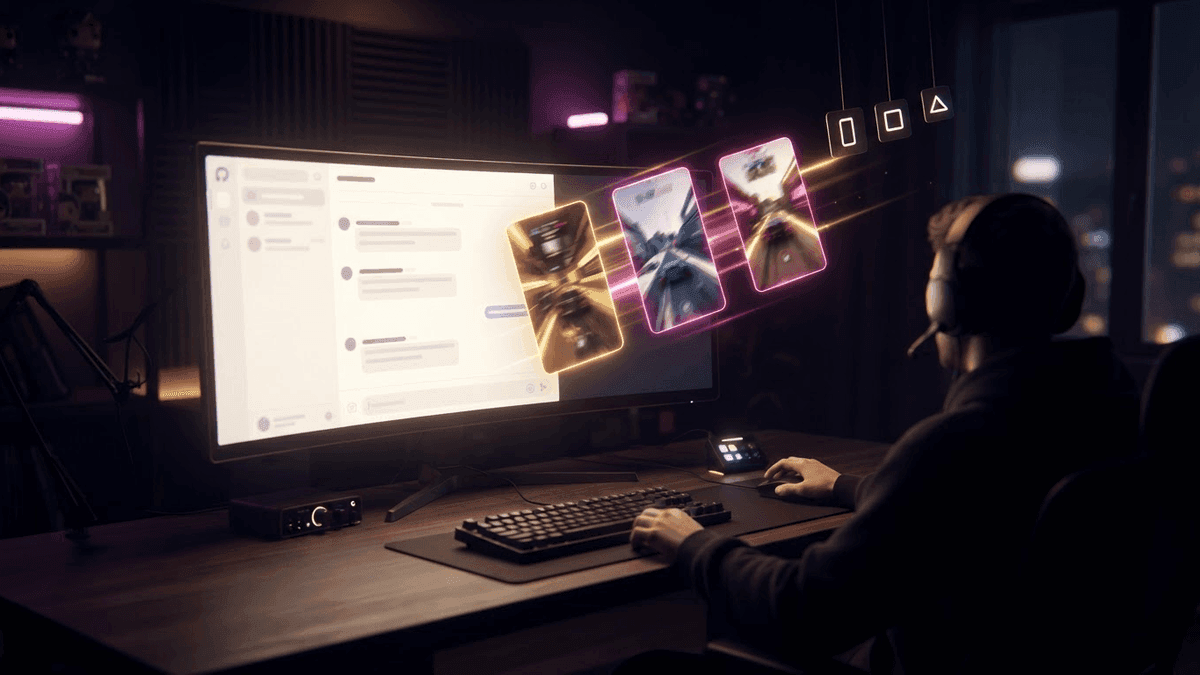
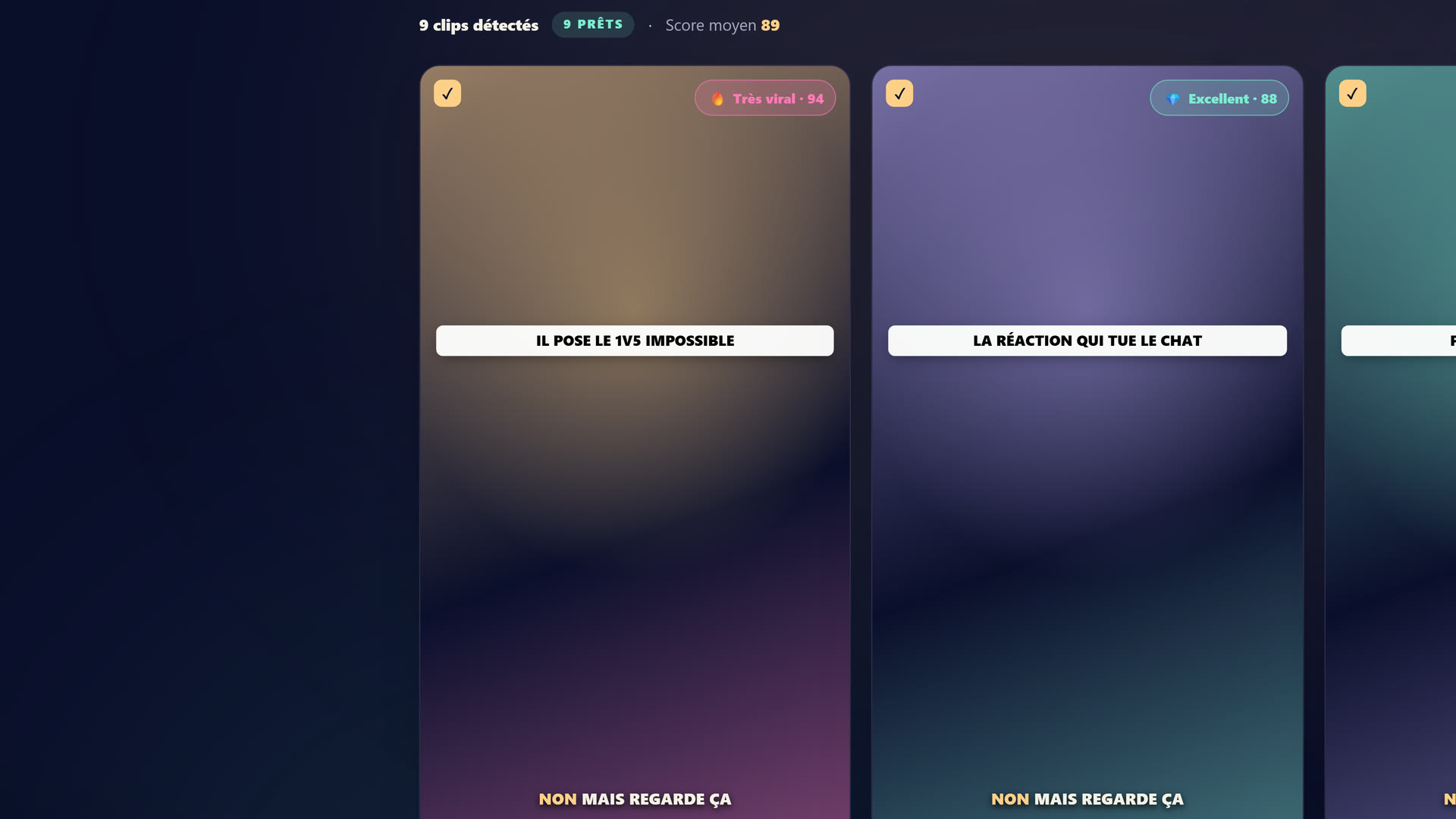 Le studio StreamClipping : tu connectes ta VOD Twitch/YouTube/Kick, l'IA repère les moments forts et sort les clips verticaux 9:16 sous-titrés.
2. Opus Clip
Le concurrent leader US.
- Usage : équivalent. Génère 10-20 clips par stream.
- Coût : 19$/mois Pro, 49$/mois Premium.
- Force : 4 ans de développement, très mature. Algo de scoring viral solide pour le contenu EN.
- Faiblesse : très moyen sur le contenu FR. Hooks souvent traduits littéralement et sonnent IA. Pas de compréhension de la culture streamer FR.
3. StreamLadder
Plus orienté Twitch.
- Usage : gère bien les highlights Twitch raw avec leur metadata native (titre du stream, catégorie).
- Coût : 25$/mois Pro.
- Force : intégration Twitch native. Bonne UI pour batch process.
- Faiblesse : peu d'IA réelle sur la sélection des moments. C'est plus un outil de découpage qu'un outil de scoring viral.
4. CapCut AI (gratuit)
L'outil que tout le monde devrait au moins tester.
- Usage : à la main, mais avec des fonctions IA (auto-captions, auto-cut, auto-zoom).
- Coût : Gratuit. Premium 9$/mois pour les exports HD.
- Force : best free option. Captions multilangues bonnes. Templates communautaires énormes.
- Faiblesse : pas de batch processing, manuel pour chaque clip. Tu y passes 30 min par clip vs 2 min sur les outils IA-driven.
Tu veux ces clips dans ta vie ?
StreamClipping transforme tes lives en clips verticaux prêts à poster, sous-titres animés inclus. Plan gratuit à vie, 15 min de vidéo par mois, sans carte bancaire.
Catégorie 2 : Voix et audio IA
5. ElevenLabs
Pour la voix synthétique réaliste.
- Usage : générer une voix off pour tes intros stream, tes recaps YouTube, tes podcasts. Cloning de voix depuis 30s d'enregistrement.
- Coût : 5$/mois Starter, 22$/mois Creator, 99$/mois Pro.
- Force : qualité de voix bluffante, surtout en FR (depuis 2024 il s'est nettement amélioré). Beaucoup de streamers FR l'utilisent pour leurs intros stream sans qu'on remarque.
- Faiblesse : si tu en abuses, ton public te déteste quand il découvre que ton "ami YouTube qui fait la voix" c'est une IA.
6. Whisper (OpenAI)
Pour la transcription des streams.
- Usage : transcrit n'importe quelle vidéo/audio FR avec une précision quasi-humaine. Base de tout ton workflow de sous-titrage et de search dans tes VODs.
- Coût : 0,006$/min via API OpenAI, ou gratuit en self-hosted.
- Force : meilleure transcription FR du marché 2026. Comprend les expressions streamers ("clutch", "GG WP", "rage") sans bug.
- Faiblesse : tu dois passer par l'API ou self-host, pas de UI grand public. Si tu utilises StreamClipping AI ou Opus Clip, ils ont déjà Whisper intégré.
7. Krisp.ai
Suppression de bruit ambiant.
- Usage : nettoie ton audio en temps réel ou en post-production. Élimine clavier mécanique, ventilateur PC, voiture qui passe.
- Coût : 8-16$/mois.
- Force : qualité supérieure à RNNoise (intégré OBS). Mais 2x plus cher.
- Faiblesse : si t'as un bon micro et un setup acoustique correct, RNNoise (gratuit dans OBS) suffit. Voir setup OBS optimal 2026.
Catégorie 3 : Images et visuels IA
8. Midjourney
Pour les illustrations brutes premium.
- Usage : générer des thumbnails YouTube, des images de présentation streams (countdowns, BRB, ending screens), des avatars Discord.
- Coût : 10$/mois Basic, 30$/mois Standard.
- Force : qualité d'image probablement la meilleure du marché 2026. Style identifiable et premium.
- Faiblesse : pas d'API publique, doit passer par Discord. Pas adapté pour génération en batch automatisée.
9. ChatGPT Image / DALL-E 3
Plus accessible que Midjourney pour les non-power users.
- Usage : équivalent. Souvent moins esthétique mais plus rapide pour des images "comprises" (descriptions précises).
- Coût : inclus dans ChatGPT Plus 20$/mois.
- Force : intégré à GPT-4, tu peux itérer en conversation ("rends ça plus sombre", "ajoute un effet glitch"). Plus rapide à utiliser qu'à apprendre Midjourney.
- Faiblesse : style moins identifiable. Beaucoup d'images générées se ressemblent.
10. Flux Pro / Recraft v3
Les alternatives challenger.
- Usage : Flux est bon pour les portraits photoréalistes et les compositions complexes. Recraft est meilleur pour les illustrations vectorielles et icônes.
- Coût : Flux Pro 6-15$/mois selon volume. Recraft 10-30$/mois.
- Force : niche bien différents de Midjourney. Si tu as des besoins spécifiques (logos, icones, photo réaliste), souvent meilleurs.
- Faiblesse : moins polyvalents que Midjourney, plus spécialisés.
1 email par semaine, zéro bullshit.
Les techniques virales 2026, les outils IA qui valent le coup, les nouveaux formats TikTok qui marchent. Pas de spam, pas de pitch agressif.
Catégorie 4 : Scripts et copywriting
11. Claude (Anthropic)
L'outil que j'utilise pour 90% de mes scripts longs.
- Usage : scripts YouTube long-form, brainstorming d'idées de stream, rédaction de pitch sponsors, réponses à mails business complexes.
- Coût : 20$/mois Claude Pro.
- Force : raisonnement plus structuré que ChatGPT pour les contenus longs (3000+ mots). Voix plus naturelle, moins "AI tells" si tu lui demandes explicitement.
- Faiblesse : pas d'images, pas de génération d'audio. Pure text.
12. ChatGPT-5 (ou plus récent)
Le polyvalent.
- Usage : tout faire vite. Réponses aux DM Twitch automatisées, captions TikTok rapides, idées de hooks.
- Coût : 20$/mois Plus.
- Force : multimodal (texte, image, voix). Très bon pour le quick fix.
- Faiblesse : voix générique sur les contenus longs sans prompt très spécifique. Tendance à être verbeux.
Catégorie 5 : OBS et automation streaming
13. NVIDIA Broadcast
Pour les utilisateurs RTX.
- Usage : suppression bruit + virtual background + auto-tracking facecam, en temps réel pendant ton stream.
- Coût : Gratuit (mais demande GPU NVIDIA RTX).
- Force : qualité broadcast TV avec ton GPU gaming. L'auto-tracking facecam est bluffant si tu bouges beaucoup.
- Faiblesse : exclusif NVIDIA. Si tu es sur AMD, oublie.
14. Restream / OBS Multistream
Pour le simulcast.
- Usage : streamer simultanément sur Twitch + YouTube Live + Kick + X depuis 1 seul OBS. Voir Twitch vs Kick vs YouTube.
- Coût : Restream 16-49$/mois selon plateformes. OBS native multistream gratuit (depuis 2024) mais moins fiable.
- Force : Restream est ultra stable et ajoute des analytics consolidés. OBS native = gratuit mais demande plus de bricolage.
- Faiblesse : Twitch ne permet pas le multistream pour les Partners (clause d'exclusivité). À vérifier selon ton statut.
Catégorie 6 : Analytics et planification
15. TwitchTracker / SullyGnome
Pour la data Twitch.
- Usage : analyser ses propres streams (pics de viewers, jeux qui marchent, horaires optimaux), et espionner les concurrents pour identifier les patterns.
- Coût : Gratuit (les deux).
- Force : Profondeur des données. Tu peux voir l'historique 5 ans d'un streamer, sa progression, ses jeux préférés.
- Faiblesse : pas joli. Tu vas devoir bricoler tes dashboards toi-même dans Notion.
Le stack minimum viable du streamer pro 2026
Si tu démarres et que tu veux le minimum viable :
| Catégorie | Outil | Coût |
|---|---|---|
| Clipping | StreamClipping AI Free | 0€ |
| Audio | RNNoise (OBS) | 0€ |
| Images | ChatGPT Plus | 20$/mois |
| Scripts | Claude Pro | 20$/mois |
| Analytics | TwitchTracker | 0€ |
| Scheduling social | Buffer Free | 0€ |
Total : 40$/mois pour le stack complet. Soit 35-37€/mois.
Pour comparer : Opus Clip seul c'est 19$/mois. Ce stack-ci te donne 5x plus d'usage pour le même budget mensuel.
Le stack avancé du streamer 1500+ viewers
Quand tu pèses plus :
| Catégorie | Outil | Coût |
|---|---|---|
| Clipping | StreamClipping AI Pro | 39€/mois |
| Voix | ElevenLabs Creator | 22$/mois |
| Images | Midjourney Standard | 30$/mois |
| Scripts | Claude Pro + ChatGPT Plus | 40$/mois |
| Audio | NVIDIA Broadcast | 0€ (GPU NVIDIA) |
| Multistream | Restream Pro | 49$/mois |
| Analytics | StreamCharts Pro | 15$/mois |
| Scheduling | Buffer Pro | 15$/mois |
Total : ~210€/mois pour le stack pro. Si tu fais 2000-5000€/mois en streaming, c'est 4-10% de tes revenus pour démultiplier tes capacités. ROI évident.
Ce qui ne marche PAS bien (encore) en 2026
Soyons honnêtes, certains usages IA sont décevants en 2026.
❌ Génération de vidéos full-IA pour TikTok. Les outils type Runway, Pika sont impressionnants mais le rendu sur du contenu créateur reste cringe. Tes viewers sentent que c'est IA en 3 secondes. Mauvaise idée pour ton compte principal.
❌ Modération chat 100% IA. Les bots type Sery_Bot, MEE6 avec auto-mod IA fonctionnent à 80%. Mais 20% de faux positifs (gentils viewers ban) ou faux négatifs (trolls passent). Modération humaine reste indispensable pour les streams >500 viewers.
❌ Réponses automatisées aux Discord DM. Les bots GPT-4 répondant à ta place dans les DMs Discord. Ça marche techniquement, mais quand 1 viewer réalise (et il réalisera), confiance détruite pour toujours. À éviter.
❌ Génération de musiques pour intros. Suno, Udio, ElevenLabs Music. La qualité est moyenne pour le moment. Préfère les banques de musique libres (Epidemic Sound, Pixabay Music) qui restent meilleures.
Conclusion : choisis 3 outils, pas 15
Le piège c'est de s'abonner partout. Le bon move c'est de identifier tes 2-3 plus gros points de douleur et y mettre l'IA prioritaire.
Pour 80% des streamers FR en 2026, les 3 priorités sont :
- Clipping multi-plateformes (économise 17h/semaine) → StreamClipping AI
- Scripts long-form (qualité YouTube + emails business) → Claude Pro
- Visuels (thumbnails YouTube + assets Twitch) → ChatGPT Plus ou Midjourney
Avec ces 3-là, tu as déjà 5x ta productivité. Tout le reste est bonus.
Le clipping c'est le levier qui paie le plus vite, alors commence par là. StreamClipping AI te laisse tester ça gratuitement, 15 minutes de vidéo par mois à vie, sans carte bancaire.
Tu veux ces clips dans ta vie ?
StreamClipping transforme tes lives en clips verticaux prêts à poster, sous-titres animés inclus. Plan gratuit à vie, 15 min de vidéo par mois, sans carte bancaire.
À lire aussi :
- Comment transformer 1 stream Twitch en 30 clips viraux le détail du levier IA n°1
- Setup OBS optimal pour streamer en 2026 la base technique sur laquelle l'IA s'ajoute
- De 0 à 1000 viewers Twitch en 6 mois où ces outils s'insèrent dans la stratégie
- Twitch vs Kick vs YouTube Live
Prêt à transformer tes lives en clips qui percent sans y passer tes nuits ? Teste StreamClipping gratuitement : 15 minutes de vidéo par mois à vie, sans carte bancaire.
Fait avec amour, par un streamer pour les amoureux du stream. Ragnarlebroc.