

Tu fais 4 heures de live. À la fin, tu as une VOD. Pour toi, c'est juste l'enregistrement du stream, un truc qui va dormir dans ton historique Twitch. Pour quelqu'un qui sait s'en servir, c'est un mois entier de contenu.
Cet article te montre comment penser tes VODs comme une réserve, et comment en sortir assez de contenu court pour ne plus jamais regarder ton calendrier de publication avec angoisse.
Ta VOD n'est pas un déchet, c'est une mine
Le réflexe de la plupart des streamers, c'est de voir la VOD comme la fin du stream. Le live est terminé, la VOD c'est le cadavre.
Change ce réflexe. Une VOD de 4 heures contient facilement 5 à 10 moments forts. Chaque moment fort, c'est un clip. Et chaque clip peut être décliné, recadré autrement, posté sur trois plateformes à des moments différents.
Fais le calcul vite fait. 7 lives par semaine, 5 moments par live, ça fait 35 clips possibles par semaine. Sur un mois, plus de 140 morceaux de contenu. Et ça, c'est juste avec tes lives. Tu n'as rien tourné en plus.
Le piège du contenu en réactif
Voici comment 9 streamers sur 10 gèrent leur contenu court. Ils finissent un live, ils sont crevés, ils ne postent rien. Le lendemain ils culpabilisent, ils ouvrent un éditeur en vitesse, ils sortent un clip moyen, ils le postent. Puis plus rien pendant cinq jours.
C'est le mode réactif. Tu publies quand tu as le temps et l'énergie, donc presque jamais. Et quand tu publies, c'est dans l'urgence, donc mal.
Le mode à viser, c'est le mode réserve. Tu as toujours deux semaines de contenu d'avance, prêt à partir. Tu ne publies plus dans l'urgence, tu puises dans ta réserve.
Le système : produire une fois, publier toute la semaine
L'idée, c'est de séparer deux choses qui n'ont rien à voir : produire et publier.
Produire, c'est transformer tes VODs en clips finis. Tu fais ça en une seule session, une fois par semaine.
Publier, c'est mettre les clips en ligne. Ça se fait au fil de la semaine, idéalement programmé à l'avance.
Quand tu sépares les deux, tout devient calme. Tu n'as plus jamais à improviser un clip à 23h parce que tu n'as rien posté depuis trois jours.
Étape 1 : la session de production hebdo
Une fois par semaine, tu bloques un créneau. Tu rassembles tes VODs de la semaine, tu en extrais tous les moments forts, tu les transformes en clips finis. Vertical, sous-titres, accroche, le tout.
Fait à la main, cette session prend des heures, et c'est là que la plupart abandonnent. Fait avec une IA de clipping, tu donnes les liens de tes VODs, l'outil sort les clips, et toi tu valides. La session passe de plusieurs heures à moins d'une heure.
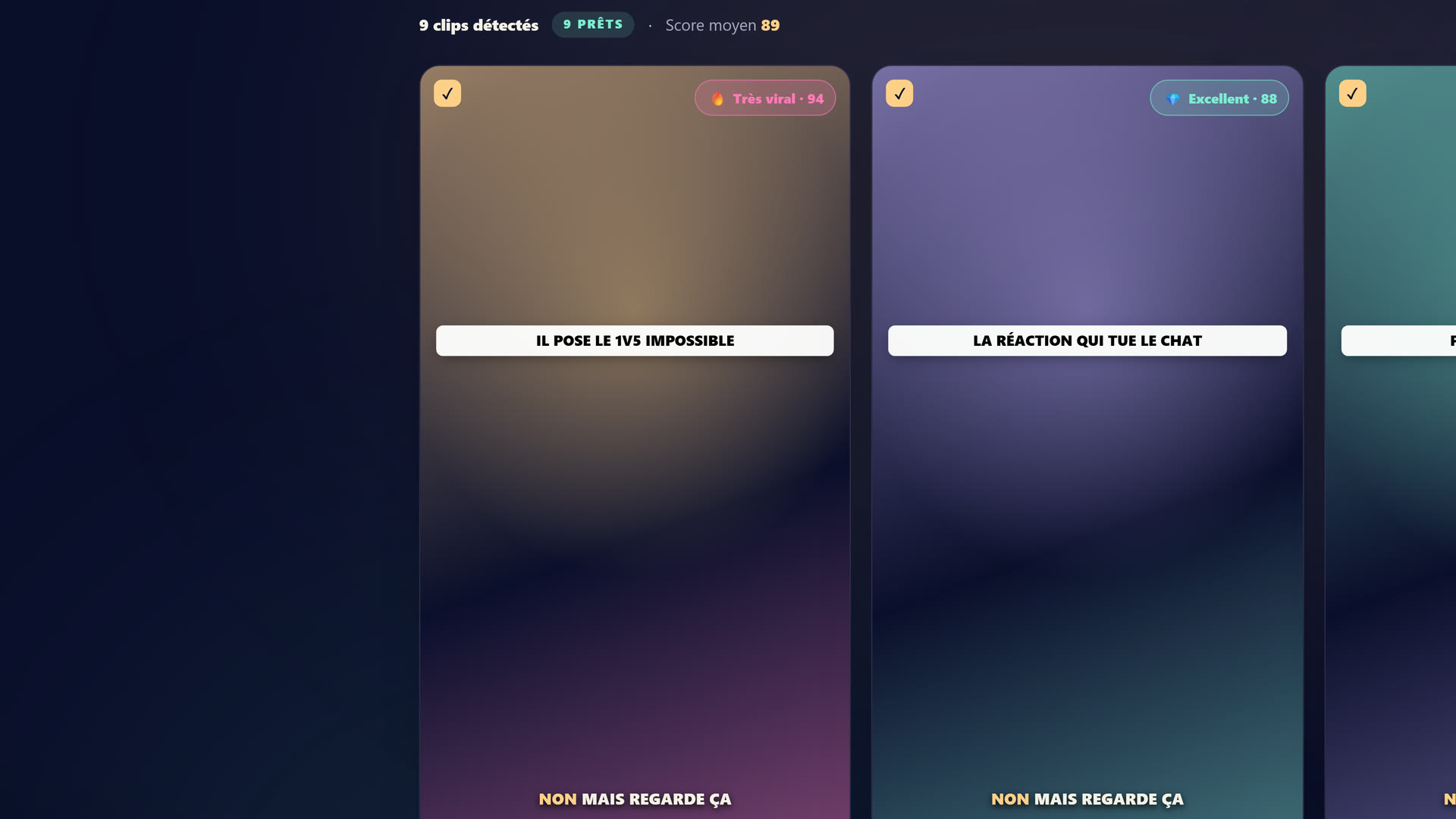 Le studio StreamClipping : tu connectes ta VOD Twitch, YouTube ou Kick, l'IA repère les moments forts et les sort en clips verticaux 9:16.
Étape 2 : la mise en file
Tu as ta pile de clips. Tu les programmes sur la semaine, bien étalés. Quelques-uns par jour, à des heures différentes, sur TikTok, Shorts et Reels.
Beaucoup d'outils font ça pour toi. Tu cales une fois et ça publie tout seul.
Étape 3 : tu vis ta vie
C'est tout. Une fois la session de production faite et la file remplie, tu n'as plus rien à faire. Tes clips partent sans toi. Tu te concentres sur tes lives, le seul truc que personne ne peut faire à ta place.
Tu veux ces clips dans ta vie ?
StreamClipping transforme tes lives en clips verticaux prêts à poster, sous-titres animés inclus. Plan gratuit à vie, 15 min de vidéo par mois, sans carte bancaire.
Décliner un clip pour en faire plusieurs
Un même moment peut donner plusieurs contenus. Le clip complet de 40 secondes. Une version ultra-courte de 15 secondes avec juste le pic. Une version avec une accroche différente pour tester. Le même clip posté sur TikTok aujourd'hui et sur Reels dans dix jours.
Tu n'as pas besoin de 140 moments différents pour avoir 140 publications. Tu as besoin de bons moments, déclinés intelligemment.
Les erreurs qui cassent le système
Vouloir tout publier le jour même
Le contenu en réserve, ce n'est pas tricher. Un clip posté dix jours après le live marche aussi bien. Personne ne le sait, personne ne s'en soucie.
Sauter la session de prod une semaine
Une semaine sautée, et ta réserve fond. Deux semaines, et tu repasses en mode réactif. La session hebdo n'est pas négociable, même courte.
Fignoler chaque clip pendant 20 minutes
Dans une session de production, tu vas vite. Tu valides, tu passes au suivant. Le volume et la régularité comptent plus que la perfection d'un clip isolé.
En résumé
Une VOD de 4 heures, ce n'est pas la fin d'un live. C'est le début d'un mois de contenu. Le système tient en trois temps. Tu produis tout en une session hebdo, tu programmes sur la semaine, tu laisses tourner.
Ce qui bloque la plupart des streamers, c'est la session de production, trop longue à la main. Une IA de clipping la réduit à quelques minutes de validation. StreamClipping AI te laisse tester ça gratuitement, 15 minutes de vidéo par mois à vie, sans carte bancaire.
À lire aussi pour aller plus loin :
- Comment transformer 1 stream Twitch en 30 clips viraux
- Comment clipper un stream Twitch : la méthode de A à Z
- Le calendrier éditorial du streamer pro 2026
Fait avec amour, par un streamer pour les amoureux du stream. Ragnarlebroc.