
Updated October 19, 2026.
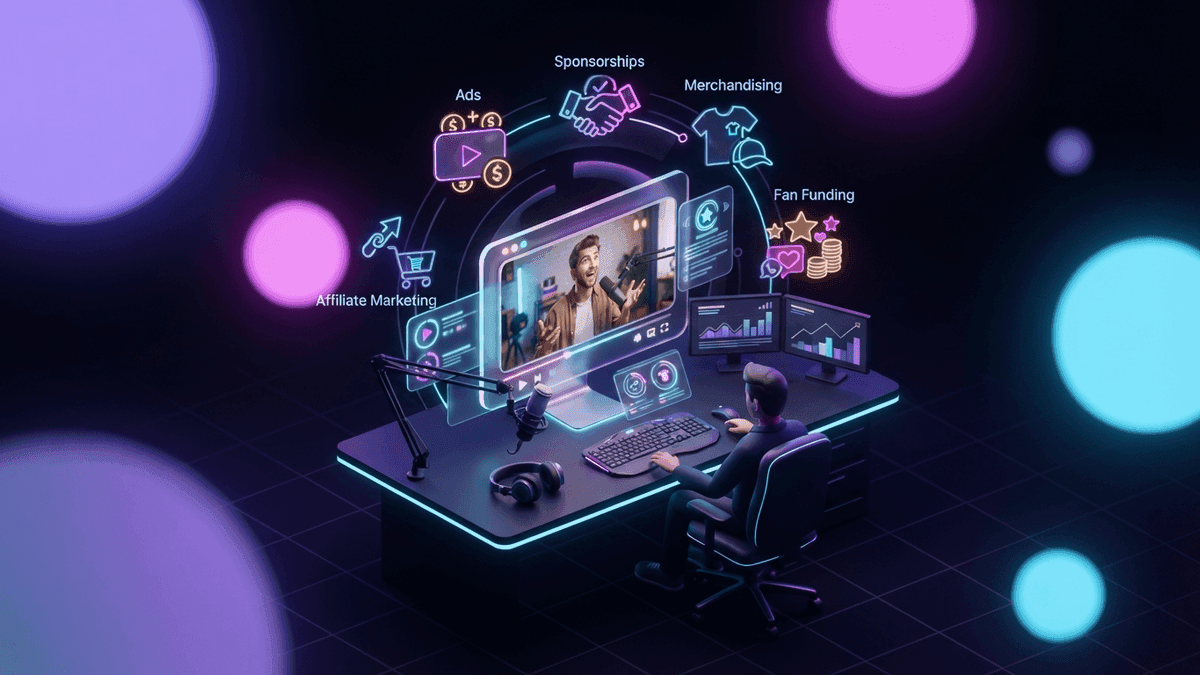
YouTubers make money from ads (55% of net long-form ad revenue, 45% of what the Shorts Creator Pool allocates to them), YouTube Premium and fan funding (memberships, Super Chat, Super Stickers and Super Thanks, at 70%), according to YouTube's partner earnings overview, plus Jewels gifts on live streams, Shopping affiliate commissions, brand deals and income earned off YouTube. Ads and Premium need 1,000 subscribers; fan funding, gifts and Shopping open at 500 in the countries where YouTube offers its expanded Partner Program. This guide gives the threshold, the creator's share and the payment route for each method, then what YouTube itself says about watch time.
YouTube itself gives "no guarantees" about how much or whether you'll be paid.
How do YouTubers earn money? Every method in one table
| Method | Threshold | Creator share | Where it is paid |
|---|---|---|---|
| Long-form ads | 1,000 subscribers + 4,000 qualified watch hours (12 months) or 10 million qualified Shorts views (90 days). From February 1, 2027, new applicants: 8,000 hours (365 days) or 20 million Shorts views (90 days) | 55% of net ad revenue | AdSense for YouTube |
| Shorts ads | Same YPP tier. From February 1, 2027: 10 million qualified Shorts views over the last 90 days, checked each month | 45% of the revenue allocated to you from the Creator Pool | AdSense for YouTube |
| YouTube Premium | Same tier as ads | Pools of 30% (Premium) and 60% (Premium Lite) of net subscription revenue, then 55% long-form, 45% Shorts, YouTube says. From February 1, 2027, Shorts Premium revenue also needs 10 million qualified Shorts views over 90 days | AdSense for YouTube |
| Channel memberships | 500 subscribers (expanded YPP countries), 3 public uploads (90 days), 3,000 watch hours (12 months) or 3 million Shorts views (90 days); age 18; not a music channel under SRAV | 70% of net revenue | AdSense for YouTube |
| Super Chat, Super Stickers | Same 500-subscriber tier; age 18; available country | 70% of net revenue | AdSense for YouTube |
| Super Thanks | Same 500-subscriber tier; age 18; not a music channel under SRAV | 70% of net revenue | AdSense for YouTube |
| Jewels and gifts (live) | Same 500-subscriber tier; age 18 with a verified AdSense account; available country | Not published: 2 Jewels = 1 Ruby, $0.01 per Ruby | With your other YPP earnings (AdSense for YouTube) |
| Shopping affiliate | YPP with at least 500 subscribers, a listed country | Commission set by each brand; 100% of commissions to creators for now | AdSense for YouTube, 60 to 120 days after purchase |
| Brand deals (Creator Partnerships) | YPP, age 18, no active strike, a listed country | Negotiated | Paid by the brand |
| Patreon | None on YouTube's side | Patreon keeps 10% plus processing (pages published after August 4, 2025) | Patreon |
| Paid clipping campaigns | Set by each campaign | Posted rate, median $1.25 per 1,000 views on October 18, 2026 | The campaign platform |
Two tiers sit behind this table: 1,000 subscribers for ads and Premium, and the lower expanded YPP tier, offered only in the countries listed on that page, for fan funding, gifts and Shopping. YouTube's page on the 2027 changes says the thresholds for fan funding, Creator Partnerships and Shopping do not change. The full rules, before and after February 1, 2027, are in our guide to YouTube monetization requirements.
Ads and YouTube Premium
On long-form videos, YouTube pays creators 55% of net revenue from ads shown on their public videos. On Shorts, ad revenue from the Shorts Feed is pooled each month, part of it covers music licensing, and the rest (the Creator Pool) is split by each creator's share of engaged views in each country; you keep 45% of what is allocated to you (Shorts monetization policies). From February 1, 2027, earning from that pool in a given month takes 10 million qualified Shorts views over the last 90 days. Missing it does not remove you from YPP and does not touch long-form earnings.
YouTube Premium adds a second stream. In its August 10, 2026 post, YouTube says creators earn from "a dedicated pool of revenue for each subscription type: 30% of the net subscription revenue for Premium and 60% for Premium Lite", distributed by member watch time and views, with a 55% share on long-form and 45% on Shorts from that distribution.
YouTube publishes no rate per view or per 1,000 views. For third-party RPM estimates and what 100,000 views can bring in, read how much YouTube pays.
Fan funding: memberships, Super Chat, Super Stickers and Super Thanks
Fan funding is money your viewers send you directly. The creator gets 70% of net revenue from channel memberships, Super Chat, Super Stickers and Super Thanks, under the Commerce Product Module of the YPP terms. For Supers, YouTube's Supers page adds that the 70% is calculated after local sales tax and iOS App Store fees, and that card fees are currently covered by YouTube.
The conditions, from How to earn money on YouTube:
- All four features: be at least 18, be in the 500-subscriber tier (or above), and accept the Commerce Product Module.
- Channel memberships: live in one of the available locations (the memberships page lists 100 countries and regions), your channel is not set as made for kids, it does not have a significant number of ineligible videos, and it is not a music channel under SRAV. If YouTube refunds a member, your share is taken back from your AdSense for YouTube account.
- Super Chat and Super Stickers: live in a country or region where they are available.
- Super Thanks: live in a country or region where Super Thanks is available, and the channel must not be a music channel under SRAV.
Jewels and gifts
Gifts are a live stream feature. Viewers buy Jewels and send gifts; you earn Rubies. According to YouTube's Virtual Items Program policies, every 2 Jewels redeemed for gifts earn you 1 Ruby, and YouTube pays $0.01 per Ruby. What YouTube does not publish is the price a viewer pays for Jewels compared with what you earn, so the creator's percentage on gifts is not public. Be wary of any site that gives one.
How does YouTube affiliate marketing work?
The YouTube Shopping affiliate program lets you tag products from participating brands and earn a commission when viewers buy. On March 25, 2026, YouTube opened it to all YPP creators with at least 500 subscribers who meet the eligibility guidelines, with tagging "across Shorts, VOD, and Live content".
The rules, from the affiliate program overview:
- Who: you are in YPP and meet its subscriber threshold, your channel is not a music channel, an Official Artist Channel or associated with music partners, and your audience is not set as made for kids.
- Where: 14 countries are listed on the Help page: Argentina, Brazil, India, Indonesia, Japan, Korea, Malaysia, Mexico, Philippines, Singapore, Taiwan, Thailand, the United States and Vietnam. YouTube announced on September 23, 2026 an expansion to 35 countries by the end of the year. So: 14 countries listed on the Help page, with 35 announced by the end of 2026.
- How much: "Every participating brand and retailer will set their commission rates and attribution window for each product." The percentage shows on each product offer.
- When: commissions are paid "through AdSense for YouTube within 60 to 120 days after purchase to account for customer returns."
- Share: for now, "100% of commissions derived from affiliate merchants will go to creators", a share YouTube says may reduce in the future.
The same September 23 post says more than 1.3 million creators are in the affiliate program, and that Shopping tags drive more than twice as many clicks as links in the description. That is YouTube's claim about its own product; we have no independent measure of it.
Selling your own merch through Shopping has its own conditions, including YPP and no Hate Speech strike.
How much do YouTube brand deals pay?
YouTube Creator Partnerships, formerly BrandConnect
On March 23, 2026, BrandConnect became YouTube Creator Partnerships, a marketplace that gives brands access to more than 3 million creators in YPP. To join, according to the Creator Partnerships help page, you must be at least 18, be in YPP, have no active Community Guidelines strikes, and be based in an available country. The help page lists 24 countries, while YouTube's September 23, 2026 blog post says the program is available in 20. Payment works like a classic sponsorship: you negotiate and sign an agreement directly with the brand, and the brand pays you.
It is one door, not the only one: a brand can contact any channel directly, and the YPP conditions only apply to YouTube's marketplace.
Rate estimates (not YouTube data)
YouTube publishes no sponsorship rate. The figures below come from a marketplace and from agencies. They are estimates, they disagree, and none publishes a full method.
Collabstr, an influencer marketplace, in its 2026 report on 2025 data (more than 21,000 collaborations and more than 200,000 creators on its platform): YouTube has the highest average payout at $255 per collaboration, against $418 the year before. Collabstr calls it a 63% drop; by our calculation, going from $418 to $255 is a 39% drop. Nearly 80% of brand collaborations on the platform cost under $300. This marketplace mostly serves small creators, so treat it as a floor, not the market.
Per sponsored video, by channel size (the two sources cut the tiers differently):
| Channel size | Influencer Marketing Hub (updated August 31, 2026) | 1of10 (August 24, 2026) |
|---|---|---|
| 1,000 to 10,000 | $20 to $200+ | $50 to $500, often product plus fee |
| 10,000 to 100,000 (1of10: 10,000 to 50,000) | $200 to $1,000+ | $200 to $1,500 |
| 100,000 to 500,000 (1of10: 50,000 to 500,000) | $1,000 to $10,000+ | $1,000 to $10,000 |
| 500,000 to 1 million | $10,000 to $20,000+ | $5,000 to $20,000 |
| Over 1 million | $20,000 to $50,000+ | $10,000 to $100,000+ |
Influencer Marketing Hub cites "multiple benchmark surveys and industry data aggregators", with no sample size; 1of10 compiles public creator-reported rates and marketplace listings.
Creators Agency (May 16, 2026) prices a mid-roll integration as a CPM on your average views: $50 to $200 per 1,000 views in finance and business, $20 to $60 in tech and software, $15 to $40 in health and fitness, $10 to $30 in beauty and lifestyle, and $4 to $12 in gaming. A dedicated video "usually lands at 2 to 4x the rate of a mid-roll integration". No sample size is published.
Gaming sits at the bottom of that list. To build your own rate card, see pricing your sponsorships.
Disclosure: the checkbox is not enough
When a video contains a sponsorship, product placement or endorsement, YouTube asks you to tick the paid promotion box, which adds a disclosure label at the beginning of the video (YouTube Help). YouTube adds that you and your partners remain responsible for complying with the law.
In the United States, the FTC is explicit in its guide for influencers: "If making an endorsement in a video, the disclosure should be in the video and not just in the description uploaded with the video." And: "Don't assume that a platform's disclosure tool is good enough, but consider using it in addition to your own, good disclosure." The Endorsement Guides updated on June 29, 2023 say the same. Say it in the video, and tick the box too.
Off-platform income: Patreon, courses and paid clipping
Patreon
Patreon's creator fees page sets a standard 10% platform fee, plus taxes, for any creator who publishes their page after August 4, 2025, plus payment processing that varies by currency (2.9% + $0.30 for USD, for example). Pages published on or before August 4, 2025 keep their old plan (Patreon announcement).
Courses in YouTube Studio
YouTube lets you create a course in YouTube Studio: you need access to advanced features, and a course must contain at least 3 videos. The page says nothing about paid courses (who can charge, where, what share), so we make no claim on them.
Paid clipping: getting paid for clips of other streams
There is one more way to earn from YouTube views without being monetized by YouTube: paid clipping. Brands, streamers and labels pay clippers per view to post clips of their content, with their agreement. According to StreamClipping AI's paid clipping rate index, a clipping campaign paid a median $1.25 per 1,000 views on October 18, 2026, across 572 open campaigns from 353 advertisers. Campaigns that accept YouTube paid a median $1.50 per 1,000 views on the same day. The index moves every day, so check it for today's figure.
A posted rate is not guaranteed income: campaigns set minimum view thresholds, approve or reject content, cap payouts per creator, and stop when their budget runs out. Our article on how much clippers earn goes further, and the open campaigns are in the campaign directory.
What it changes for a streamer
If you stream, YouTube pays you through your streams and your clips.
Your streams carry fan funding. Super Chat and Super Stickers are bought in the live chat of live streams and Premieres, gifts are sent on live streams, and memberships turn regular viewers into monthly revenue. All of it opens at 500 subscribers in the countries of the expanded YPP, at 70% for Supers and memberships.
Your clips feed Shorts and long videos. A streamer who posts Shorts cut from their own streams is in the case YouTube's monetization policies list as allowed: "Content that primarily features the uploading creator in the video" (channel monetization policies). A channel that clips someone else's stream is in a different situation: it needs significant original commentary, a storyline or substantive editing, and YouTube lists "Promotion of other people's content (even if you have permission)" as not allowed. Views of non-original Shorts, such as reuploads of other creators' content, also do not count toward Shorts revenue. Subtitles and a vertical crop do not make someone else's stream original. For that case, paid clipping campaigns, which pay with the rights holder's agreement, are the route to look at.
StreamClipping AI, the AI clipping software for streamers, turns a Twitch, YouTube or Kick VOD, or a live stream in progress, into subtitled 9:16 vertical clips, and can publish them to TikTok, YouTube Shorts and Instagram Reels (AutoPilot, on the Pro and Elite plans). A clip plays out fast: in StreamClipping AI's clip study, a clip gets a median 95% of its 30-day views within its first 24 hours. The trial gives you 7 days of Elite at signup, 1 hour of video per day, with no card. Starting from zero? See how to start a YouTube channel and 30 clips from 1 stream.
Want these clips in your life?
StreamClipping turns your streams into vertical clips ready to post, animated captions included. Free plan for life, 15 minutes of video a month, no card.
Top tips for increasing watch time on YouTube
Watch time counts toward YPP eligibility and feeds recommendations. Here is only what YouTube itself says.
- Absolute and relative watch time. YouTube's performance FAQ says its discovery system uses both, and that "relative watch time is more important for short videos and absolute watch time is more important for longer videos."
- Watch the first 30 seconds. In the key moments for audience retention report, the intro figure is the percentage of viewers still watching after the first 30 seconds, and typical retention lets you compare your 10 latest videos of similar length. The report needs a video of at least 60 seconds with at least 100 views. YouTube's own advice: if the intro is weak, rework the title, the thumbnail or the first 30 seconds; if your top moments (where almost no one drops off) come late in the video, bring that kind of content earlier.
- Chapters. The first timestamp must be 00:00, you need at least three timestamps in ascending order, and each chapter lasts at least 10 seconds (chapters help).
- End screens. They go in the last 5 to 20 seconds of a video of at least 25 seconds, with up to 4 elements, to send viewers to another video. They are not available on made-for-kids content (end screens help).
- Series playlists. Marking a playlist as a series lets the other videos in it be featured and recommended while someone watches one of them. A video can only be in one series (series playlists help).
- A/B testing (formerly Test & compare). You can test up to 3 titles and thumbnails; at the end, the version with the highest watch time is shown to everyone, not the one with the best click-through rate. It needs advanced features and runs on desktop. It does not apply to Shorts, scheduled live streams or Premieres, but live archives can be tested (A/B testing help).
- What YouTube says does not matter. In the same FAQ, tags are "Not important" and mainly correct common spelling mistakes; "growth in views across uploads is not correlated with time between uploads"; and "Publish time is not known to impact a video's long-term performance", with one exception the same FAQ names: publish time "is important for formats such as Live and Premiere videos."
One data point of ours, for Shorts. In StreamClipping AI's clip study (4,184 publications, data as of October 1, 2026), on YouTube Shorts and Instagram Reels, for the same account, a title of 60 characters or more beat the account's median 70% of the time, against 47% for a title under 45 characters. It is descriptive and proves no cause. Our guide to clip titles and hooks goes further. If you also post your clips elsewhere, see TikTok monetization and Instagram Reels monetization.
Sources
Pages read on October 18, 2026, unless stated otherwise.
- YouTube Help: partner earnings overview, how to earn money on YouTube, expanded YPP, changes to YPP, Shorts monetization policies, Supers, memberships eligibility, Virtual Items Program policies, Shopping affiliate program, Shopping for your own products, Creator Partnerships, paid promotion, channel monetization policies, courses, performance FAQ, audience retention key moments, chapters, end screens, series playlists, A/B testing, formerly Test & compare
- YouTube Official Blog: YPP updates for 2027 (August 10, 2026), Shopping affiliate at 500 subscribers (March 25, 2026), Made on YouTube, monetization and Shopping (September 23, 2026), Creator Partnerships (March 23, 2026)
- US Federal Trade Commission: Disclosures 101 for social media influencers (November 2019), updated Endorsement Guides (June 29, 2023)
- Patreon Help Center: creator fees overview, standard platform fee after August 4, 2025
- Rate estimates: Collabstr 2026 influencer marketing report, Influencer Marketing Hub, YouTube influencer rates, 1of10, YouTube sponsorship rates, Creators Agency, YouTube sponsorship rates 2026
- StreamClipping AI: paid clipping rate index (October 18, 2026), clip study (data as of October 1, 2026)
Made with love, by a streamer for stream lovers. Ragnarlebroc.