

You make a brand new TikTok account for your clips. You drop your first clip, proud. And then, zero views. Or twelve views. You refresh, still nothing. The word crosses your mind: shadowban.
Good news, most of the time it's not a shadowban. It's just a fresh account that hasn't been warmed up. This article gives you the method to do it right, day by day.
What a shadowban actually is, no myths
A shadowban, in creator talk, is when TikTok stops showing your content without telling you. You post, but almost nobody sees it.
You need to separate two things. On one side, the real throttle, which hits if you break the rules or you spam. On the other side, the simple slow start, which is normal for any new account. Nine times out of ten, when a beginner cries shadowban, it's actually a poorly warmed account.
The difference is that the first one you earn, and the second one you fix. This article is about the second.
Why a fresh account starts fragile
When you create an account, TikTok knows nothing about you. It doesn't know who you are, what you do, who to show you to. To it, you could be a real creator or a bot spamming ads.
In the first few days, TikTok watches you. It looks at how you behave. Are you acting like a human discovering the app, or like an account created just to dump content in bulk?
Warming an account is simply passing that test. You show TikTok that you're a real user, before you start posting for real.
The day by day method
Days 1 to 3: you post nothing
Yes, nothing. For three days, you use TikTok like a normal user. You install the app on a real phone, you log in on regular wifi or 4G.
You scroll your feed 10 to 15 minutes a day. You watch videos all the way through. You like what you actually enjoy, mostly gaming and streaming content close to yours. You follow a few accounts. You drop one or two honest comments.
You fill out your profile: picture, name, a short clear bio. An account with no picture and no bio screams throwaway from a mile away.
The goal of these three days is for TikTok to put you in the "human who likes gaming" box, not the "suspicious empty account" box.
Days 4 to 7: your first clip
On day four, you post your first clip. Just one. Your best one.
Keep scrolling and engaging every day, like a real user. Post one clip per day max during this first week, no more.
Reply to the comments you get, even if there are only two. TikTok loves accounts that spark conversation.
Week 2: you ramp up
If everything goes well, you bump it to two clips a day. You space the posts a few hours apart, you don't dump them all at once.
Keep engaging. An account that posts but never watches anything still looks shady to TikTok.
Week 3 and beyond: cruising speed
Now you can push to three or four clips a day if you have the volume. Your account is warm, TikTok knows you, your views stabilize.
From here, it's no longer a warming question. It's a content and consistency question.
Stuff that kills a fresh account
A few mistakes that make you look like a bot:
- posting 10 clips on day one, that's the most suspicious signal there is
- creating the account on an emulator instead of a real phone
- using the exact same description and the same hashtags on every clip
- reposting someone else's clip without changing anything
- running fifteen accounts from the same device with zero precautions
None of these mistakes is fatal on its own. Stack them together and they tell TikTok "I'm a clip farm," and then you get throttled for real.
Want these clips in your life?
StreamClipping turns your streams into vertical clips ready to post, animated captions included. Free plan for life, 15 minutes of video a month, no card.
How many accounts, and how to manage them
A lot of streamers run multiple clip accounts, to multiply chances and test different angles. It's a solid strategy, but each account has to be warmed separately with the method above. You can't skip the process.
Key thing to remember: one warm well managed account beats five fresh burnt accounts.
Wrap up
A fresh TikTok account needs warming. Three days behaving like a normal user, a soft first week at one clip a day, then you ramp up little by little. Patience in the first few days saves you weeks of zero views.
And once your account is warm, you need clip volume to feed it. That's where a clipping AI changes everything. It pumps out enough clips to keep the pace without burning your nights. StreamClipping lets you try it free, 15 minutes of video per month for life, no credit card.
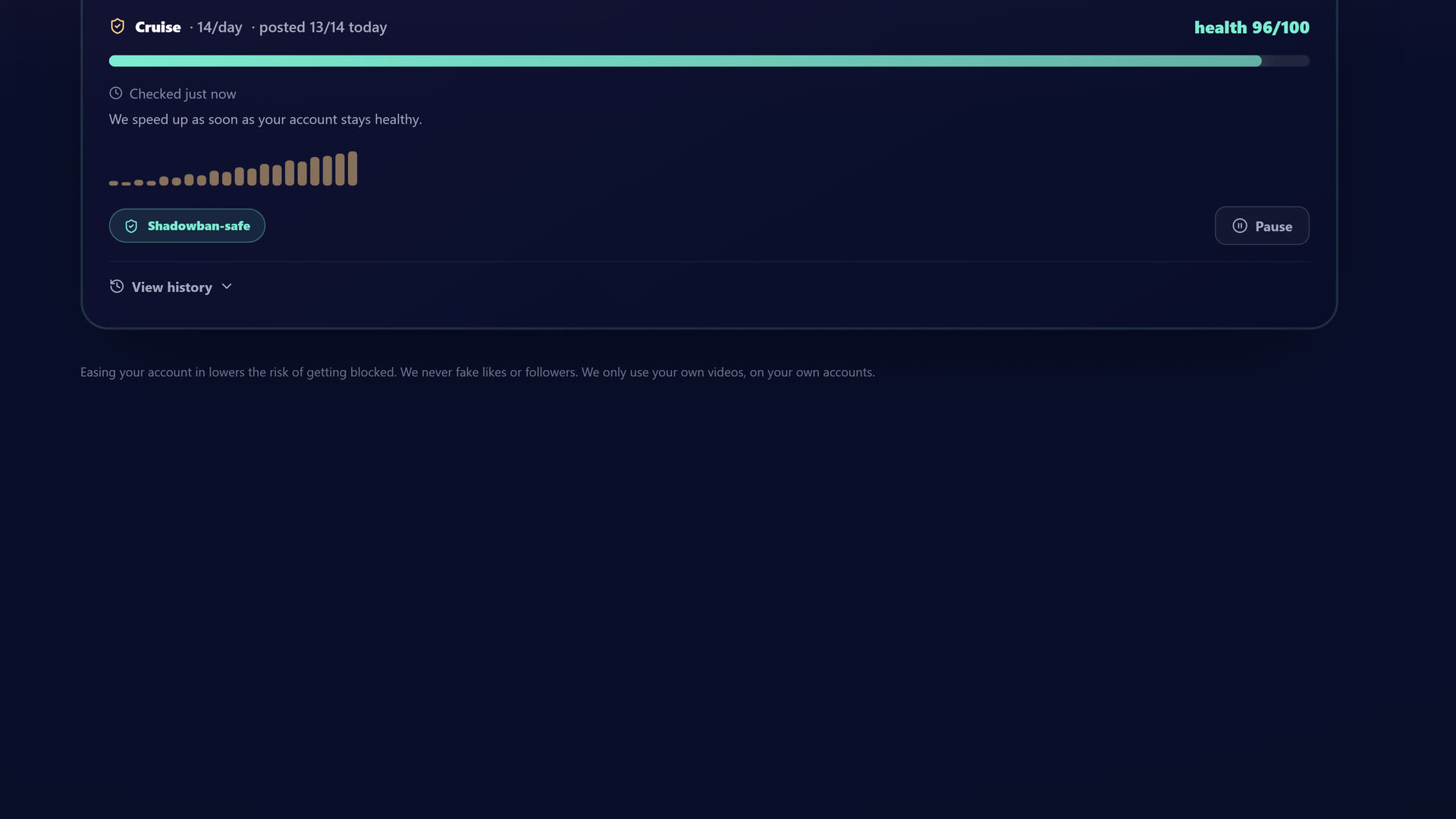 Inside StreamClipping: keep a steady, safe posting pace so a fresh account stays healthy instead of getting throttled.
Want the full version, with the detailed protocol, posting best practices and the checklist? We put it all in a free guide: The guide to clipping without getting shadowbanned.
Also worth reading to go further:
- 10 TikTok accounts to build to avoid shadowban
- How to clip a Twitch stream: the A to Z method
- 12 TikTok hooks that hit in 2026
Made with love, by a streamer for stream lovers. Ragnarlebroc.